

This article is for AWARD® users who cannot access their authenticator app and need to complete MFA using a recovery code.
Recovery codes are a backup way to complete Multi-Factor Authentication (MFA) if you cannot access your authenticator app.
In this article:
Signing in Using a Recovery Code
- Sign in with your AWARD® username and password.
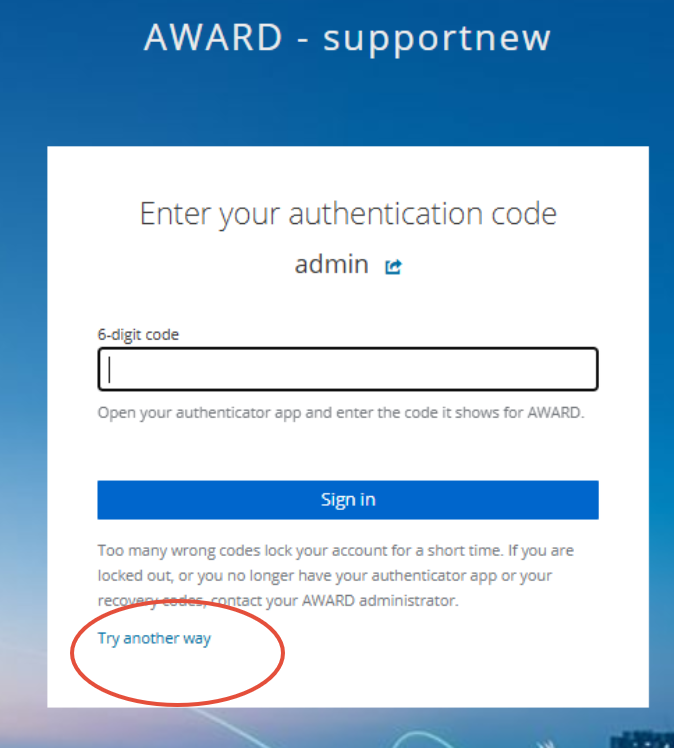
- Select Try another way on the authentication screen.
- Select Recovery code.
(The options displayed may vary depending on your organisation's MFA configuration.)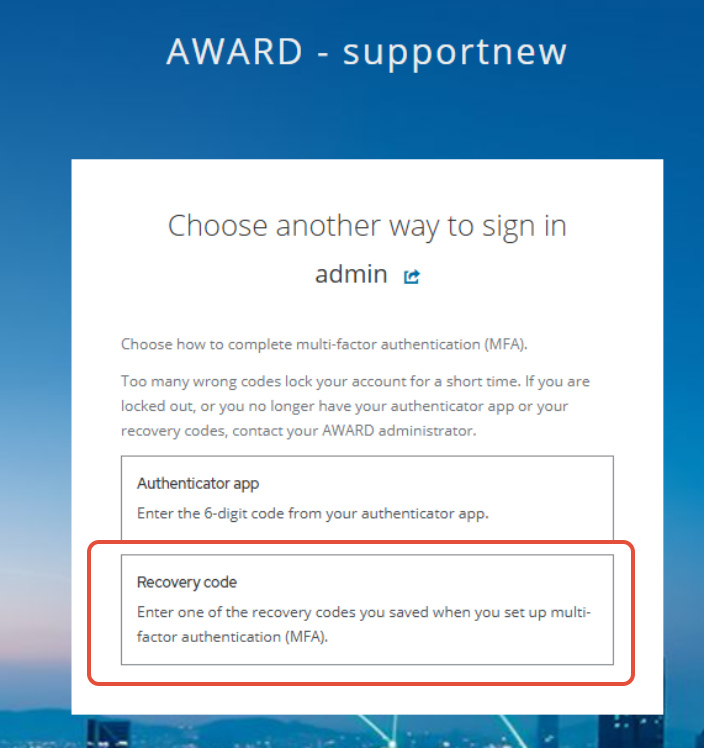
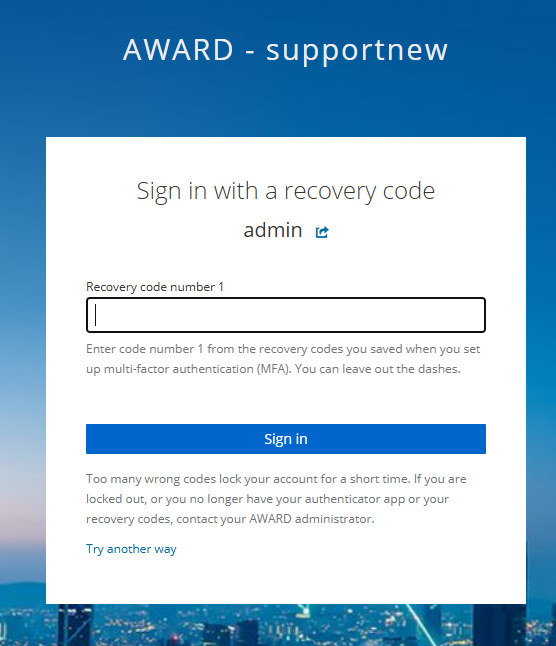
- Enter one of your saved recovery codes.
- Complete the sign-in process.
Keep Your Recovery Codes Safe
Recovery codes are provided when you set up MFA.
Store them somewhere secure, such as:
- A password manager.
- An encrypted secure note.
- An approved organisational storage location.
Do not share your recovery codes with anyone.
Lost Access to MFA?
If you no longer have access to both your authenticator app and your recovery codes, contact the AWARD Helpdesk and request an MFA reset.
After the reset, you'll need to set up MFA again and save a new set of recovery codes.