

This page is for users who are trying to access the AWARD® Knowledge Base Support Portal.
If you are trying to access the AWARD® application (to complete or submit a project response), please refer to the relevant AWARD® application access guidance instead. [How to obtain AWARD® logins]
Issue
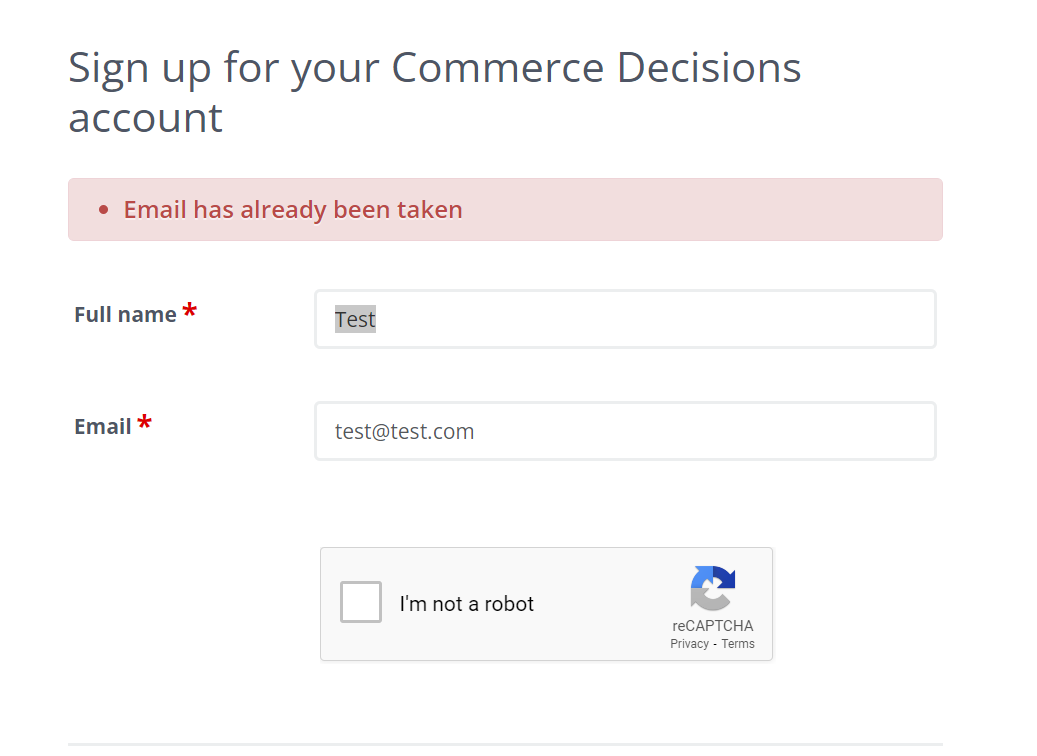
When attempting to sign up to the AWARD® Knowledge Base Support Portal, you may see the message:
“Email address has already been taken.”
What This Means
This message indicates that your email address is already registered in the Helpdesk system.
This can happen if:
- You’ve previously raised a support ticket
- An account has been created for you by the Helpdesk team
What You Need to Do
There’s no need to create a new account. You simply need to activate your existing profile.
To do this:
- Click the “Submit a Ticket” button on the portal page
- Request a portal activation token from the Helpdesk
Quick Summary
- You already have an account
- You do not need to sign up again
- You just need an activation email/token to access the portal
Still Need Help?
If you’re unsure or continue to have issues, contact the Helpdesk and include your email address so they can quickly locate your account and assist.
Tip: This is a common scenario and easy to resolve. Once activated, you’ll be able to access knowledge base articles and manage your support tickets straight away.
Related Articles: