

This article is intended for suppliers who are beginning the onboarding process and have been asked to self‑register for access to AWARD®.
This article explains how to start the self‑registration process and the login options available.
Overview
As part of a project notice, you will be provided with a URL that allows you to register for an account in AWARD®.
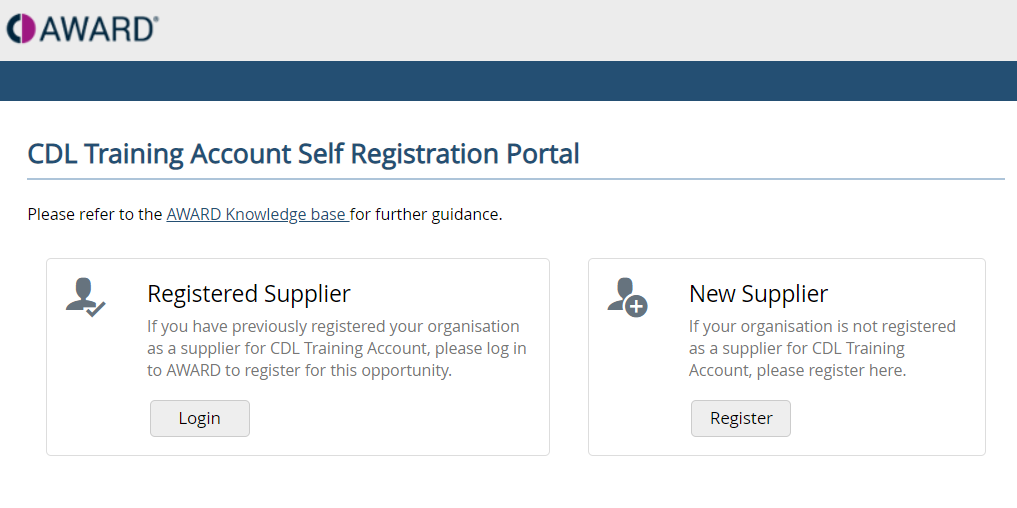
When you browse to the supplied URL, you will be presented with two login options. The option you choose depends on whether your organisation has previously registered with the authority.
Login Options
Registered Supplier
Select Registered Supplier if:
- Your organisation has previously registered with the authority
- You already have, or believe you should have, an AWARD® account
Use this option to sign in using your existing credentials.
For more information, see Accessing AWARD as a Registered Supplier.
New Supplier
Select New Supplier if:
- This is the first time your organisation is registering with the authority
- You do not currently have an AWARD® account
Use this option to begin the self‑registration process and create a new account.
For more information, see Accessing AWARD as a New Supplier.
Login Screen Example
 Troubleshooting
If you experience issues accessing AWARD® or are unsure which option to select, refer to the troubleshooting guidance: Troubleshooting common supplier self‑registration issues
Related Articles
- Accessing AWARD as a Registered Supplier
- Accessing AWARD as a New Supplier.
- Troubleshooting common supplier self‑registration issues