

This page is for users who have received a password reset email, clicked the link, and the system has rejected the token.
Issue
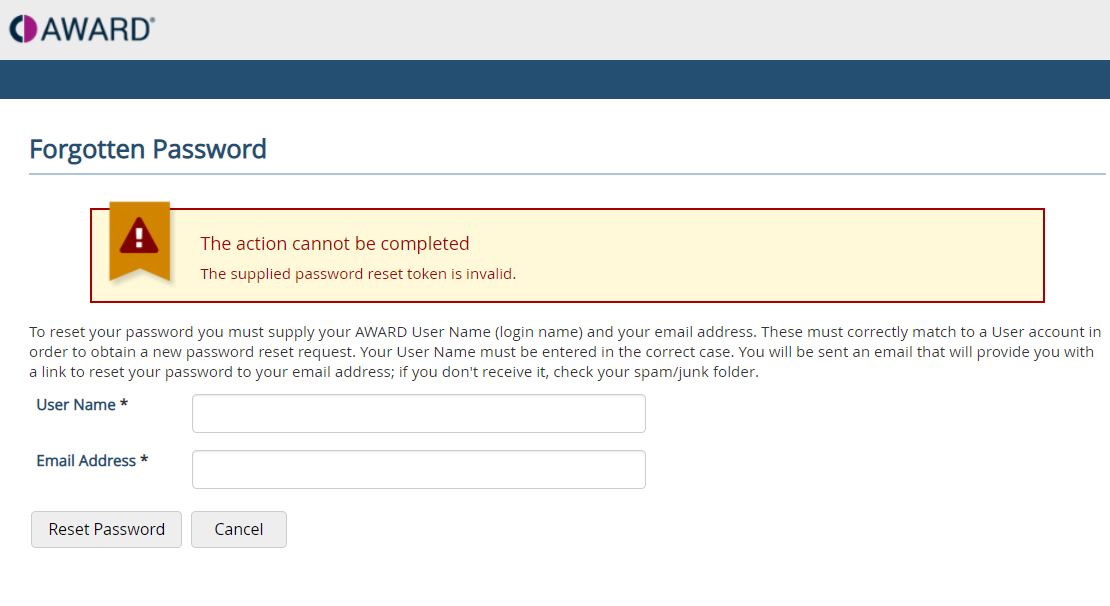
You've received an email containing a password reset token. However, when you click the provided link, an error message stating "The supplied password reset token is invalid" appears.
Why this happens
Password reset tokens are time‑limited for security reasons:
- Tokens sent by an AWARD Administrator expire after 72 hours
- Self‑generated tokens expire after 20 minutes
If the token has expired, been used once already, or was copied incorrectly, AWARD will display the error “The supplied password reset token is invalid.”
How to generate a new password reset token
You can request a new token directly from the Forgotten Password screen:
- Click the Forgotten Password link on the login page to open the Forgotten Password screen
- Enter your username and email address in the password reset fields
- Select Reset Password
- An e-mail containing your new password token will be sent to you
If you don’t receive the email
- Check your spam or junk folder
- Make sure you are using the correct email address linked to your AWARD account
- If the email still doesn’t arrive, contact your AWARD Administrator to issue a new reset token
Important reminders
- Use the reset link as soon as you receive it, especially for self‑generated tokens
- Each token can only be used once
- Requesting a new reset will invalidate any previous tokens