

This article is for suppliers who are trying to register for AWARD® or a project and see a message indicating that their email address is already registered.
What this message means
The duplicate user email message means that the email address you are trying to use already exists within the AWARD® account.
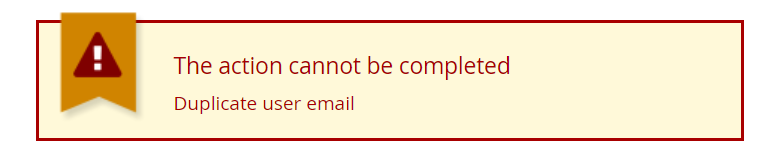
This usually happens because:
- You (or a colleague) have previously registered using the same email address, or
- You already have an existing AWARD® user account linked to that email address
Recommended action
Use the Registered Supplier option
When you first open a registration link, select the Registered Supplier option instead of registering as a new supplier.

This allows you to:
- Log in using your existing AWARD® account
- Access the project without creating a duplicate user
Registering a separate bid team (optional)
If you need to register as a new supplier user using the same mailbox (for example, to create a separate bid team), you can use plus (+) addressing, where supported by your email provider.
Example
Instead of: Buzz.Aldrin@Test.com
Use: Buzz.Aldrin+project@Test.com
The text after the + can be anything and creates a unique email address for AWARD®, while still delivering emails to the same inbox.
Important to know
- Using a new email variation creates a separate AWARD® user
- This should only be done if a genuinely separate registration is required
- If you are unsure whether you should register again or use an existing account, use the Registered Supplier option first
Still unable to register?
If you believe the email address should not already be registered, or you are unsure which account to use, contact:
- The Project team, or
- The AWARD Helpdesk (submit a ticket)
They can confirm whether the email address already exists and advise on the correct next step.
Related articles: