

This article is for suppliers with an existing AWARD® account who want to register for a Project that has been set for Open Registration by an Authority.
This article explains how to register directly to a Project that has been set for Open Registration, without needing to create a new account or be added manually by the Authority.
What is Open Registration?
When a Project in AWARD® is set for Open Registration, suppliers with access to the Authority’s tenant can register themselves directly to the Project.
This means:
- No new supplier account is required
- The Authority does not need to manually add suppliers
- Registration is completed immediately by the supplier
How to Register for an Open Project
- Log in to AWARD® using your existing supplier account.
- Click on the Open Registrations tab.
This tab shows all Projects available for registration that are linked to the Authority.
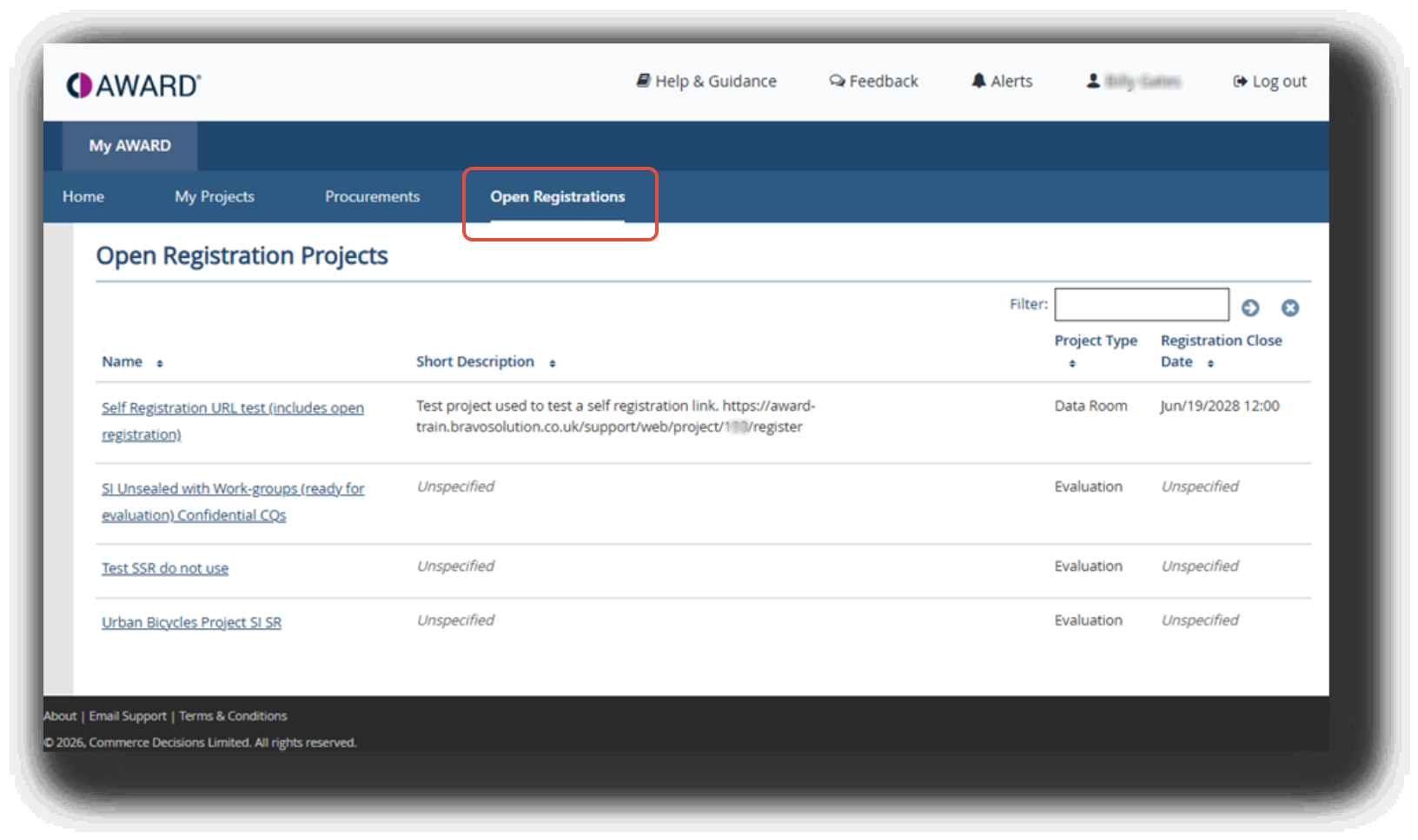
- Review the list of available Projects.
- If a registration close date has been set, it will be shown next to the Project.
- Once this date has passed, registration for that Project will no longer be possible.
- Click on the name of the Project you wish to register for.
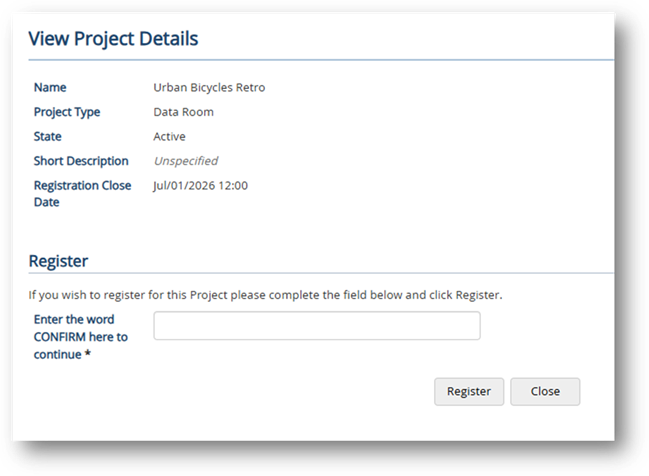
- When prompted, type CONFIRM to complete your registration.
- Click Register.
What Happens Next?
Once you click Register:
- You will be instantly registered to the Project.
- You will be taken directly into the Project.
- You can immediately begin engaging with the Project.