

Purpose:
The Document User feature enhances the flexibility of the system, allowing Assessors to view Submissions' document responses without being assigned to a question.
Please note - This feature is applicable only in an Evaluation Project and requires the creation of a Work Group.
Scenario:
You want an Assessor to view a Submission without being assigned to a specific question.
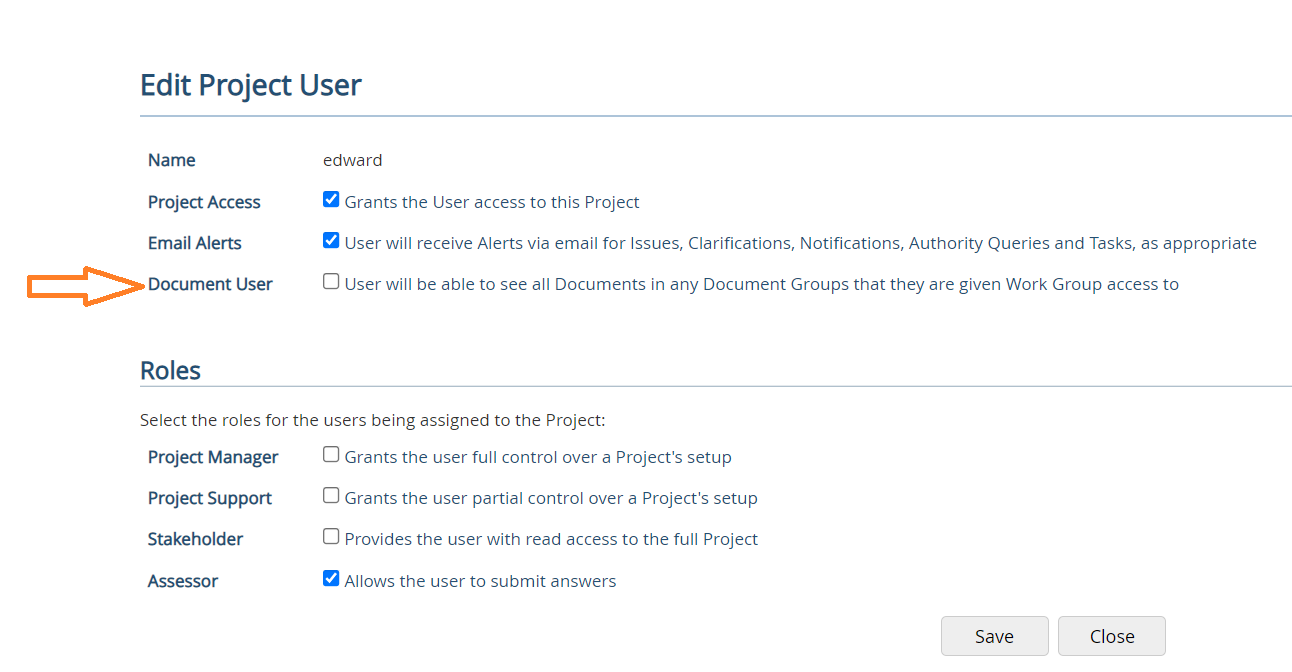
Document User
Guidance:
- In the project, navigate to Project > Setup > Users.
- Click on the user's name to open the View Project User page.
- Click Edit.
- Tick the Document User option and click Save.
- Add the assessor to a Work Group to enable them to see the Submission Document Group (DG) if it is included in the Work Group (WG).
Note: You do not need to tick "Document User" if Work Group are not being used.