

This article relates to Dataroom and Supplier Interaction AWARD® project types.
It’s not possible to delete a Published document in an Active project as it could be perceived that another bidder has had an unfair opportunity to view something. Instead, you should invalidate the document – this will trigger a notification informing all bidders that the document is no longer valid. A replacement version can then be uploaded and published if appropriate, triggering a second email alert notifying the suppliers of the new document.
To Invalidate a document please follow the following steps:
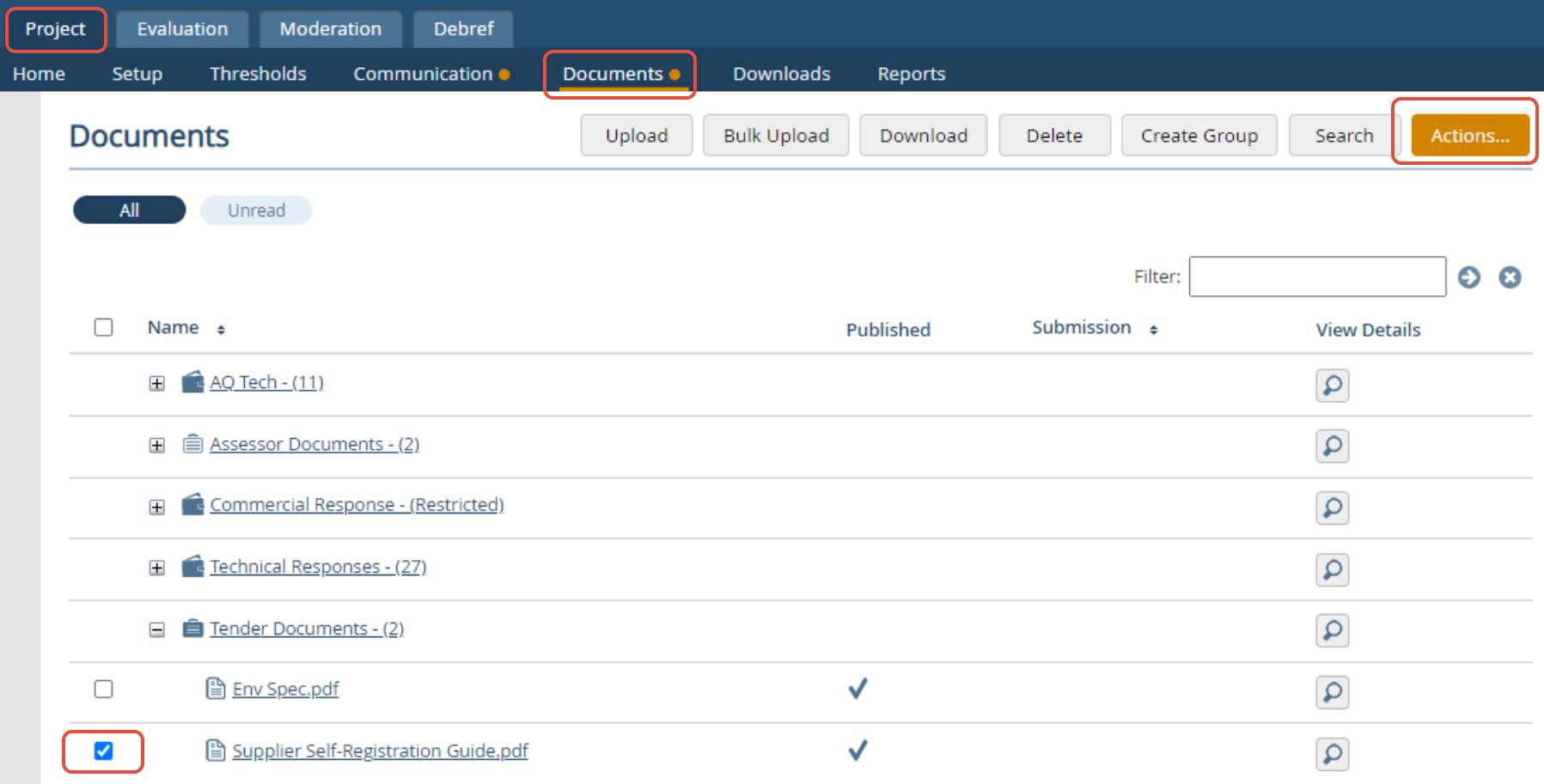
- Navigate to the Documents area (Project > Documents)
- Select the relevant document(s)
- Click Actions
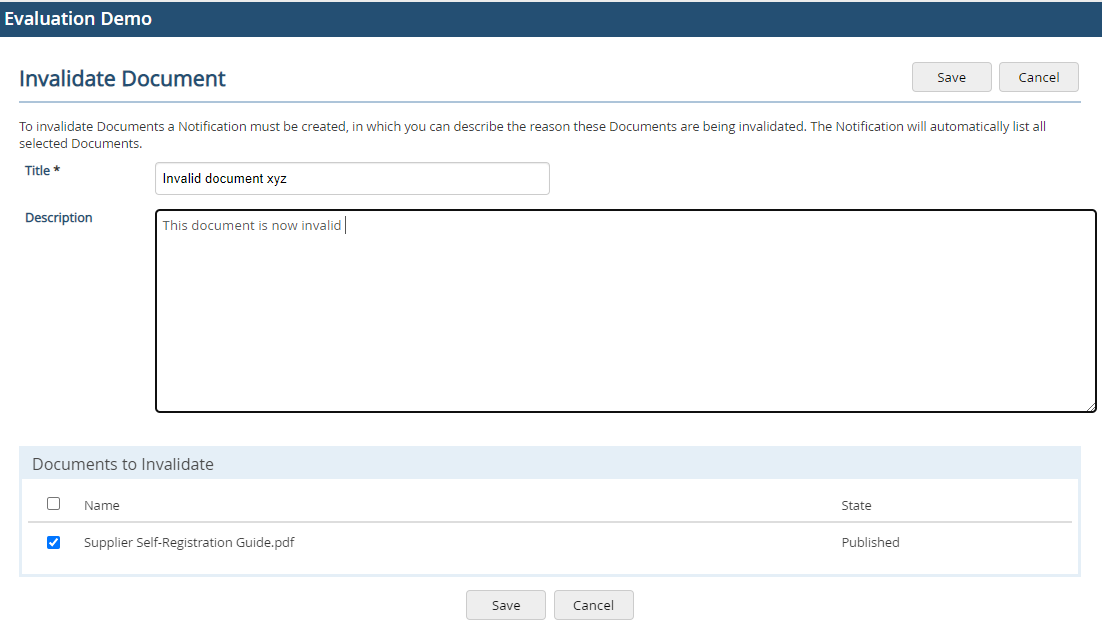
- Click Invalidate

- Enter the notification text- similar to writing an email, this has a title (subject line) and the description (the body of the email notification). This text will be sent to all bidders as an email alert.
- Finally click Save to trigger the alert
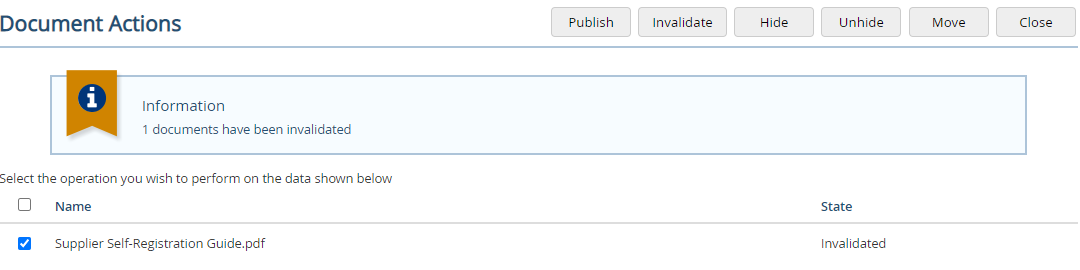
- A confirmation message will be shown - click Close to exit
- The document will also show with a strike through it, so whilst it is still viewable, bidders will know that it is invalid
