

This article is for users who see the “Account not Active” message when trying to log in to their AWARD® account. It explains what this means and what to do next.
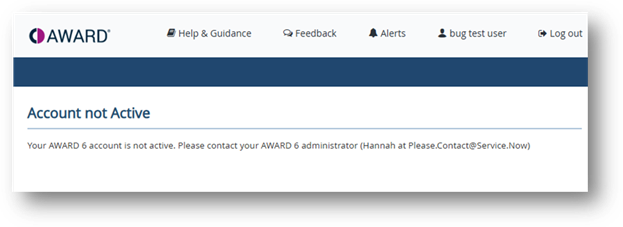
If you try to sign in to AWARD® and see a message saying your account is Not Active ( Inactive ), this means your user account is currently disabled and cannot be used to log in.
What to do
Contact your Authority AWARD® account administrator
Your Authority AWARD® account administrator can reactivate your account. This is usually required if your access has been disabled due to inactivity or user management updates.
Note: It is recommended that you click the Log out link at the top of the Account not Active screen before trying to access AWARD® again.
Accessing an older (legacy) AWARD® account
If you are trying to access a legacy AWARD® account (for example AWARD® 4 or AWARD® 5), your login may no longer be active. In this case, contact the AWARD® Helpdesk, who can assist with accessing any archived or historical data, if available.
If you’re still unsure
If you are not certain who your Authority AWARD® account administrator is, or whether your account is legacy or current, the AWARD® Helpdesk can help point you in the right direction.
Please raise a ticket with the AWARD® Helpdesk and include the following information:
- The URL (link) you use to access AWARD®
- Your username (if known)